Five Quizlet sets? Make it one.
Merge Sets for Quizlet combines the study sets you pick into a single new set, created on your own Quizlet account. No copy-paste, no term typed twice.
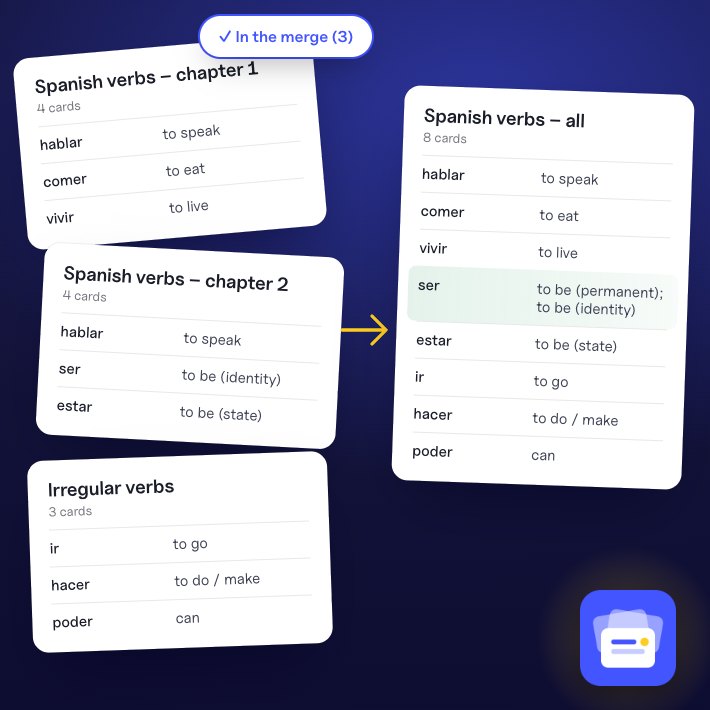
Sound familiar?
One set per chapter.
One exam for all of them.
Copying sets by hand takes ages
Opening each set, selecting the cards, pasting them one set after another: a whole evening before you even start revising.
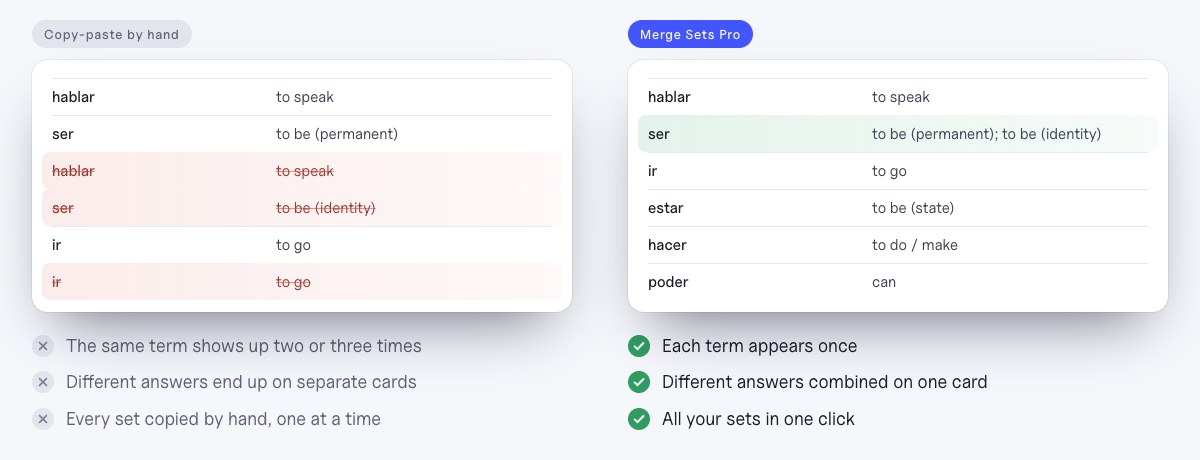
The same term, two or three times
Chapters overlap. Once merged, “ser” shows up three times with three slightly different answers.
Quizlet has no merge button
Folders and classes group sets, but studying them all at once still means one big set.
One click
Pick the sets, click once.
An “Add to merge” button appears on every Quizlet set, and a small “+ Merge” button on sets in search results, folders and profiles. The popup shows what you picked and the cards you will get.
- “Add to merge” on every setand “+ Merge” in search, folders and profiles
- Name the new setor keep the suggested title
- Show the source seteach definition ends with the name of its set
- Free, with no accountinstall it and open a set
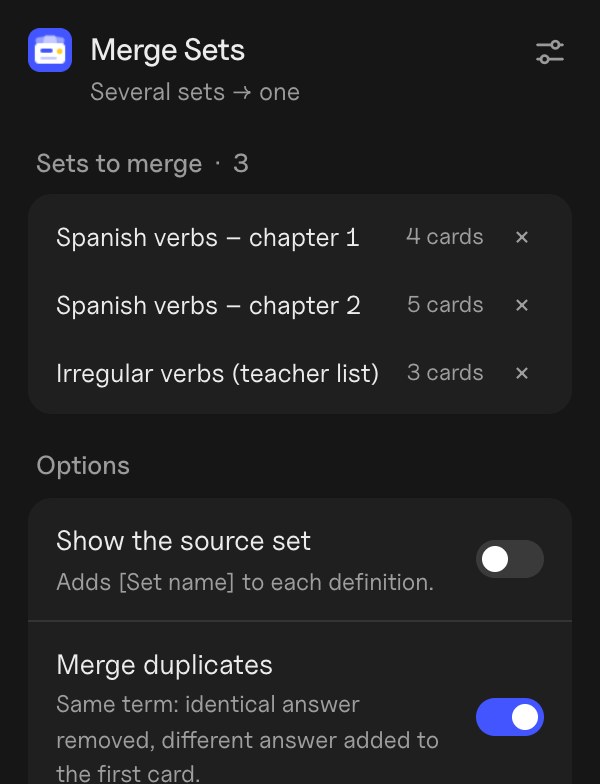
Duplicates
Each term once. Every answer kept.
Chapters overlap, so merged sets repeat terms. With Pro, Merge Sets keeps each term once: an identical answer is removed, a different one is added to the first card.
- Case, accents and punctuation ignored“Ser”, “ser” and “ser.” are the same term
- Different answers grouped“to be (permanent); to be (identity)”
- Alternate or shufflemix the sets instead of stacking them
On Quizlet
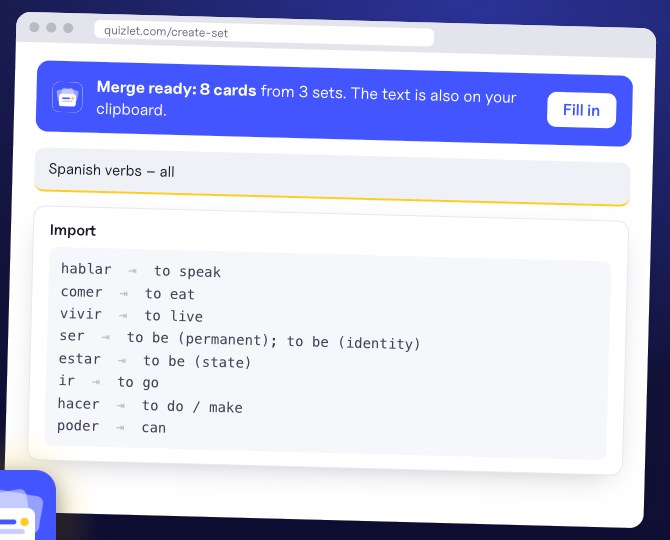
Rebuilt on your Quizlet account.
The extension opens Quizlet's creation page and fills in the title and Quizlet's own Import box. You check the preview and click Create yourself: the new set is yours, like any set you make.
- Uses Quizlet's Import boxno password, nothing created behind your back
- Text or CSV exportterm, definition, source set
- Anki export with Proa file Anki imports as it is, tagged by set
Privacy
Your sets go from Quizlet to Quizlet.
The extension reads the sets you choose with your own Quizlet session, merges them in your browser and hands them back to Quizlet. Nothing goes through our server.
- Nothing is sent to usyour sets never reach our server
- Only the sets you addnothing else is read from your account
- No account for the free versionit works right away
- No tracking, no adsno data resale, ever
- Google sign-in only for Proyour email, never your sets
Plans
Free for two sets. Pro for the whole term.
14 days of Pro free when you install, no card. After that, Pro is $1.99 a month and unlocks inside the extension, with Google sign-in. Cancel in one click.
- 2 sets per merge
- Create the set on Quizlet
- Show the source set
- Text and CSV export
- 14 days free, no card
- Unlimited sets per merge
- Merge duplicates
- Alternate or shuffle the cards
- Anki export
- $1.99 a month, cancel any time
FAQ
Questions
Does it ask for my Quizlet password?
No. The extension never sees your password. It reads sets with the Quizlet session already open in your browser, and you create the merged set yourself on Quizlet's own page.
Can I merge sets made by other people?
Yes, any set you can open on Quizlet, as long as you use it for your own studying. The new set is created on your account.
Are images copied?
No, only text. The popup tells you how many cards have an image, so you can add them back on Quizlet if you need them.
Quizlet asks me to “Press & Hold”. What should I do?
That is Quizlet's anti-robot check. Do it on Quizlet, then reload the page and add the set again. On a set page, the extension can also read the cards shown on the page; it marks the set as partial if some might be missing.
Does it work with Anki?
With Pro, “Export for Anki” saves a text file that Anki imports as it is, with each card tagged with its source set.
How do I cancel Pro?
In the extension’s settings, “Manage subscription”: one click, any time. Removing the extension does not cancel the subscription by itself; the page that opens when you remove it lets you cancel or delete everything.
Is it made by Quizlet?
No. It is an independent extension, not affiliated with or endorsed by Quizlet.
Revise from one set, not five.
Free for Chrome. Ready in a click.