Miro, in dark mode. Photos stay true.
Dark Mode for Miro turns the board and the interface dark, so late sessions are easier on your eyes. Sticky notes keep their colour, and photos and screenshots are never turned into negatives.
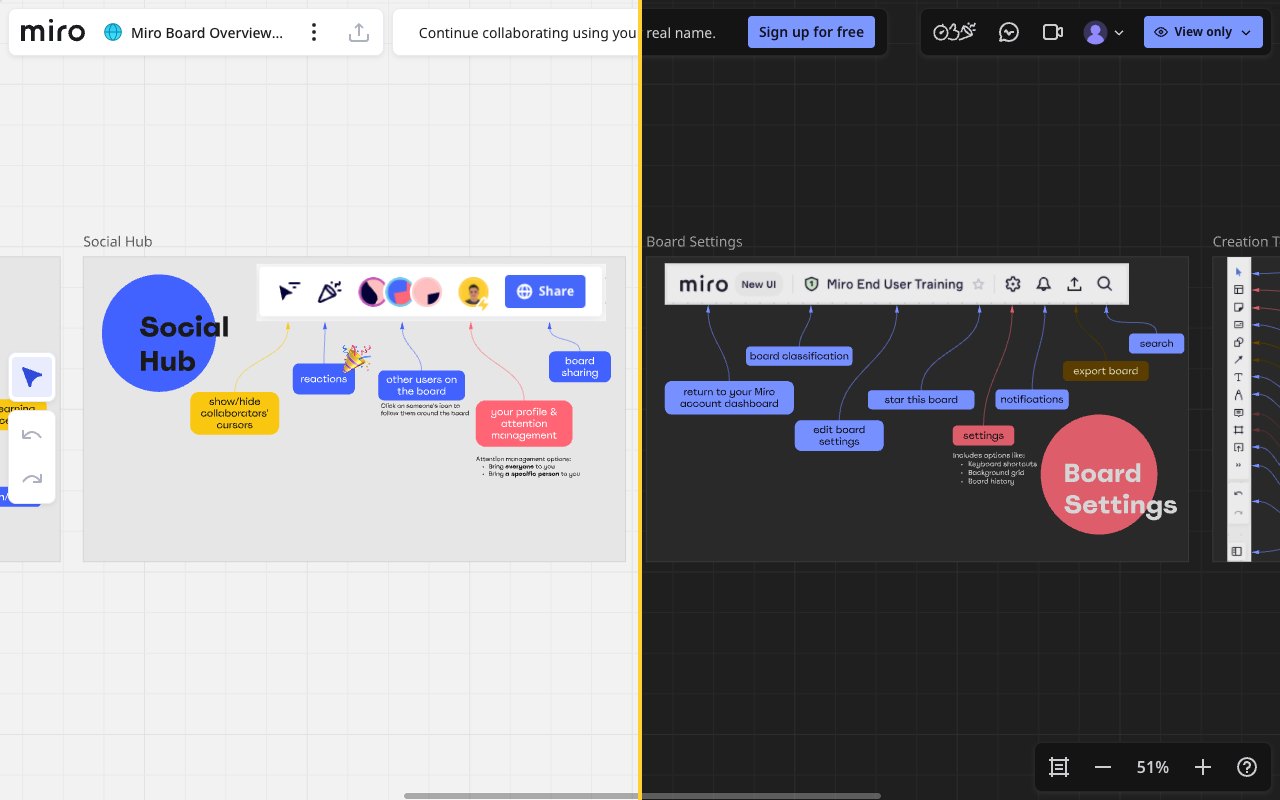
Sound familiar?
Miro has no dark board.
Your eyes notice at 11 pm.
A white board, all evening
Your editor and your desktop are dark, but the Miro canvas stays bright white for hours.
Generic dark modes break images
Inverting the whole page turns photos, logos and screenshots into negatives.
Colour codes get lost
When notes change colour, the yellow ideas and the red risks no longer mean anything.
Dark board
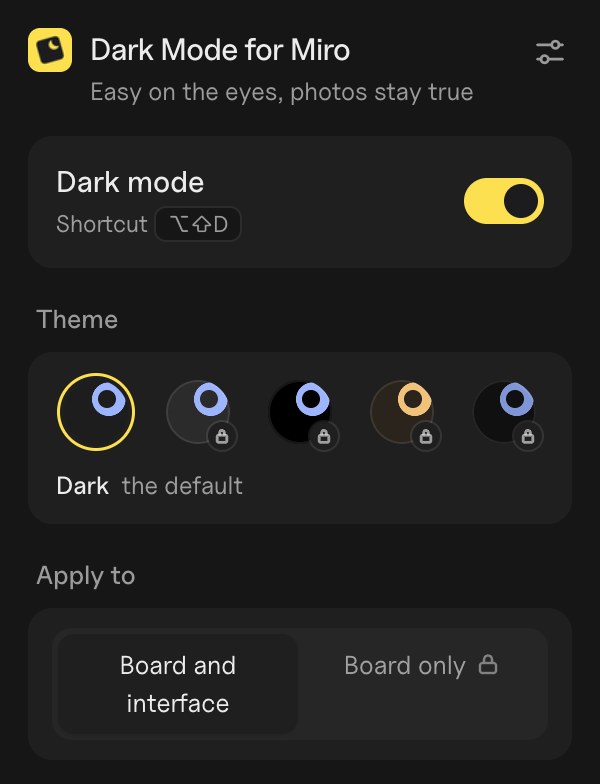
The board and the interface, dark in one click.
Open a board: it is dark straight away, and stays that way. Press Alt+Shift+D to switch back to light without leaving the board.
- A dark theme made for Mirothe board and the interface together
- Alt+Shift+Ddark or light without leaving the board
- Follow your system themedark when your computer is
- Free, with no accountinstall it and open a board
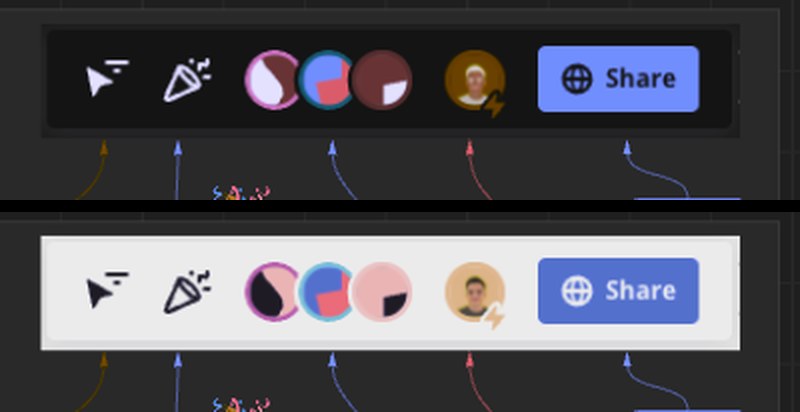
Photos stay true
Images keep their real colours.
Other dark modes invert everything. Dark Mode for Miro corrects images on the fly, so photos, logos and screenshots look as they should.
- Photos and screenshotsnever negatives
- Sticky notes and shapeskeep their colour
- Avatars and thumbnailsas your team sees them
Pro
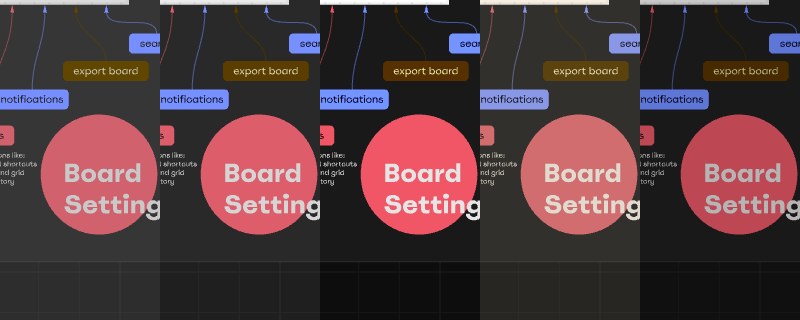
Make it yours with Pro.
More themes, the board alone, a schedule, and boards you keep light. Try each one live on your own board from the extension before you subscribe.
- Dim, Black, Warm and Nightfrom soft gray to pure black for OLED screens
- Board onlythe canvas goes dark, the toolbars stay light
- Between set hoursdark from 20:00 to 07:00, for example
- Keep chosen boards lightfor a client workshop or a colour review
Privacy
Your boards stay yours.
The extension only changes how Miro looks on your screen. It reads nothing from your boards and sends nothing anywhere.
- Nothing is sentyour boards never leave Miro
- Only you see it darkyour collaborators see Miro as usual
- No account for the free versionit works right away
- No tracking, no adsno data resale, ever
- Google sign-in only for Proyour email, never your boards
Plans
Free for every board. Pro to make it yours.
Pro unlocks inside the extension, with Google sign-in. Cancel in one click.
- Dark board and interface
- Photos and notes keep their colours
- Alt+Shift+D shortcut
- Follow your system theme
- Dim, Black, Warm and Night themes
- Board only: toolbars stay light
- Dark between set hours
- Keep chosen boards light
- Try each option live first
FAQ
Questions
Do my collaborators see the board in dark?
No. Only the display in your browser changes. The board, its colours and its exports stay the same for everyone.
Do images on the board look inverted?
No. Photos and screenshots placed on the board keep their real colours, as do avatars and thumbnails in the interface. If one ever looks odd, press Alt+Shift+D or keep that board light, and tell us.
Does it read my boards?
No. The extension changes how the page is drawn on your screen. It does not read, copy or send the content of your boards, and nothing reaches our server.
Do I need an account?
Not for the free version. Pro uses Google sign-in only to find your subscription on each of your computers.
How do I cancel Pro?
In the extension’s settings, “Manage subscription”: one click, any time. Removing the extension does not cancel the subscription by itself; the page that opens when you remove it lets you cancel or delete everything.
Should I turn it off before exporting?
To be safe, yes. Exports are made by Miro and are not changed by the extension, but turning dark mode off (Alt+Shift+D) shows you exactly what the export will look like.
Is it made by Miro?
No. It is an independent extension, not affiliated with or endorsed by Miro.
Give your eyes a break on your next board.
Free for Chrome. Ready in a click.